Live preview
pnpm dlx shadcn@latest add @notchset-pro/task-rowInstallation
pnpm dlx shadcn@latest add @notchset-pro/task-rowNeeds your registry key. Every components.json style gets the same files.
Works with React 18.3 or 19 on Tailwind CSS v4, in any shadcn project. What's tested
Styles didn't apply?
The CLI adds the styles to the CSS file named in components.json (tailwind.css). Check that it points at your global stylesheet, that the project uses Tailwind CSS v4, and that the file is imported in your root layout. Installed by hand: paste styles.css into that file.
Usage
Import it and pass your content. The props that matter most are listed next.
Example
"use client";
import * as React from "react";
import { MessageSquare } from "lucide-react";
import { TaskMark, TaskRow } from "@/components/ui/notchset/blocks/task-row";
import type { TaskStatus } from "@/components/ui/notchset/status-glyph";

const TASKS = [
  { id: "RP-49", title: "Recalculate ETA when a job runs long", status: "review" as TaskStatus, due: "Yesterday", late: true, comments: 4 },
  { id: "RP-57", title: "Undo for route edits", status: "doing" as TaskStatus, due: "Today", late: false, comments: 0 },
  { id: "RP-60", title: "Explain why a stop moved", status: "todo" as TaskStatus, due: "Oct 27", late: false, comments: 1 },
];

export default function TaskRowDemo() {
  const [tasks, setTasks] = React.useState(TASKS);
  const [sel, setSel] = React.useState<string[]>([]);
  const [open, setOpen] = React.useState<string | null>(null);
  return (
    <div className="w-full max-w-[720px]">
      {tasks.map((t) => (
        <TaskRow
          key={t.id}
          id={t.id}
          code={t.id}
          title={t.title}
          status={t.status}
          due={t.status === "done" ? "Done today" : t.due}
          late={t.late && t.status !== "done"}
          meta={t.comments ? <TaskMark icon={<MessageSquare aria-hidden />}>{t.comments}</TaskMark> : undefined}
          context={<span className="truncate">Route planner v2</span>}
          active={open === t.id}
          selected={sel.includes(t.id)}
          onSelect={() => setSel((s) => (s.includes(t.id) ? s.filter((x) => x !== t.id) : [...s, t.id]))}
          onOpen={() => setOpen(t.id)}
          onComplete={() => setTasks((ts) => ts.map((x) => (x.id === t.id ? { ...x, status: "done" } : x)))}
        />
      ))}
      <p className="m-0 px-[var(--ns-gutter)] pt-2 text-[length:var(--ns-text-small)] text-[var(--ns-ink-3)]">{open ? `Opened ${open}` : sel.length ? `${sel.length} selected` : "Tick a glyph to finish a task"}</p>
    </div>
  );
}
This example also uses lucide-react. Add it to your project too.
Anatomy
Source
components/ui/notchset/blocks/task-row.tsx
This component is included with Pro.
Try the live preview above. Get Pro to install the source.
Props
id–stringRequired.
title–stringRequired.
status–TaskStatusRequired.
onOpen–() => voidRequired.
onComplete–() => voidcode–stringthe task's key shown before the title ("RP-49"), when the page lists many projects' work
Show all 17 propsShow fewer
meta–React.ReactNodesmall marks after the title: repeats, subtasks, comments, blocked
context–React.ReactNodewhere it belongs (a project), quiet, after the title
cells–React.ReactNodefurther columns, each sized by its own class (a status, an assignee, a priority)
due–stringlate–booleanselected–booleanshows the select box; selected rows are plain, never the Signature
onSelect–(additive: boolean) => voidactive–booleanthe row the keyboard is on
density"comfortable""comfortable" | "compact"landed–booleana row you just made or moved: marked where it landed, once
onContextMenu–(e: React.MouseEvent) => void
For coding agents
Give your coding assistant the Markdown guide instead of screenshots.
Where agents read it
- Guide for this component: https://notchset.dev/md/task-row.md
- Every component, for tools without MCP: /llms.txt
- MCP server:
https://notchset.dev/api/mcp(setup)
Changelog
v2.1.0 · 2026-10-21
New: one task per line; its marks give way on a narrow row.
v2.0.0 · 2026-10-13
Released with the Notchset system.
Used in
The same file, at work in a finished app. Open it live and find it on its pages.
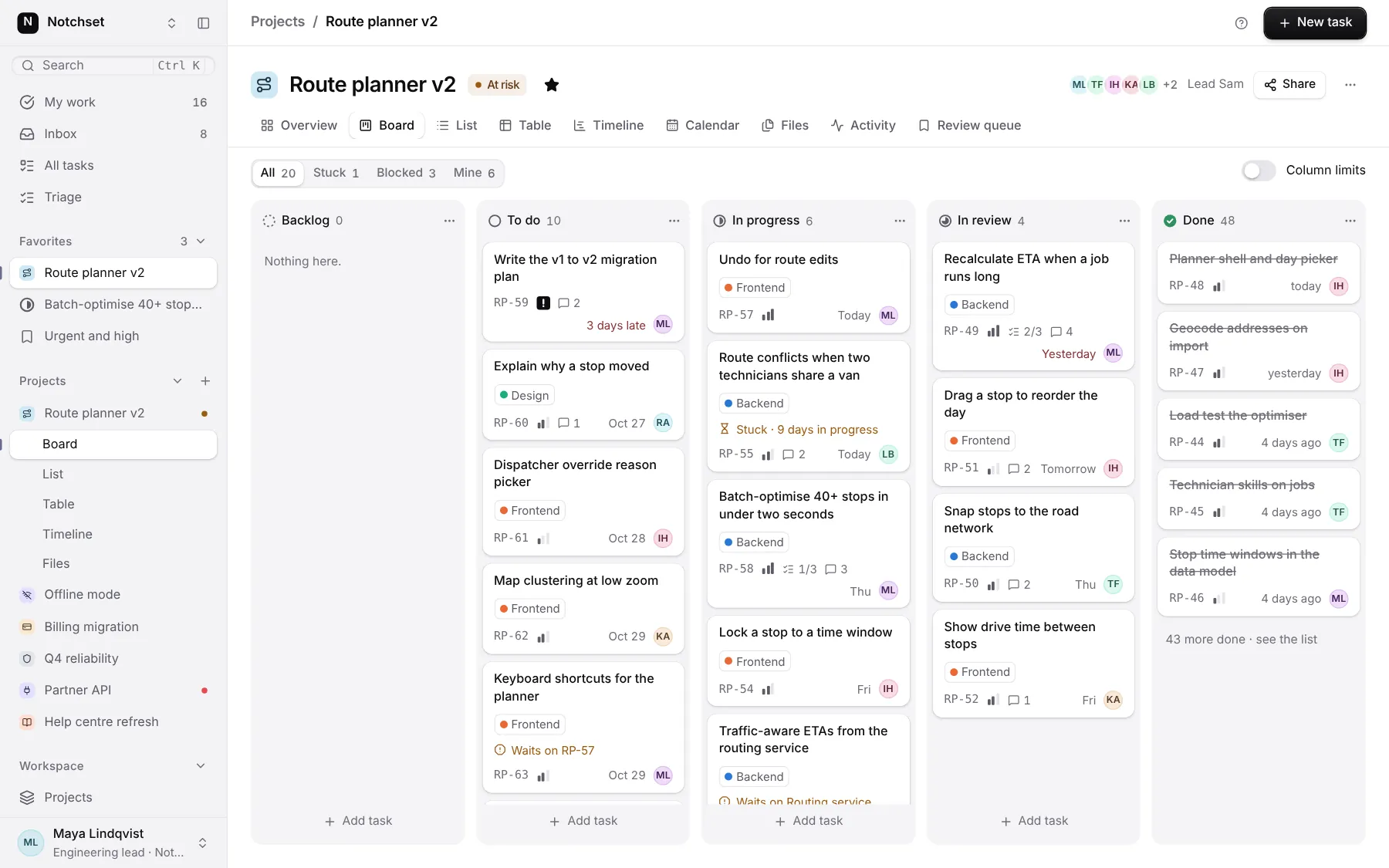
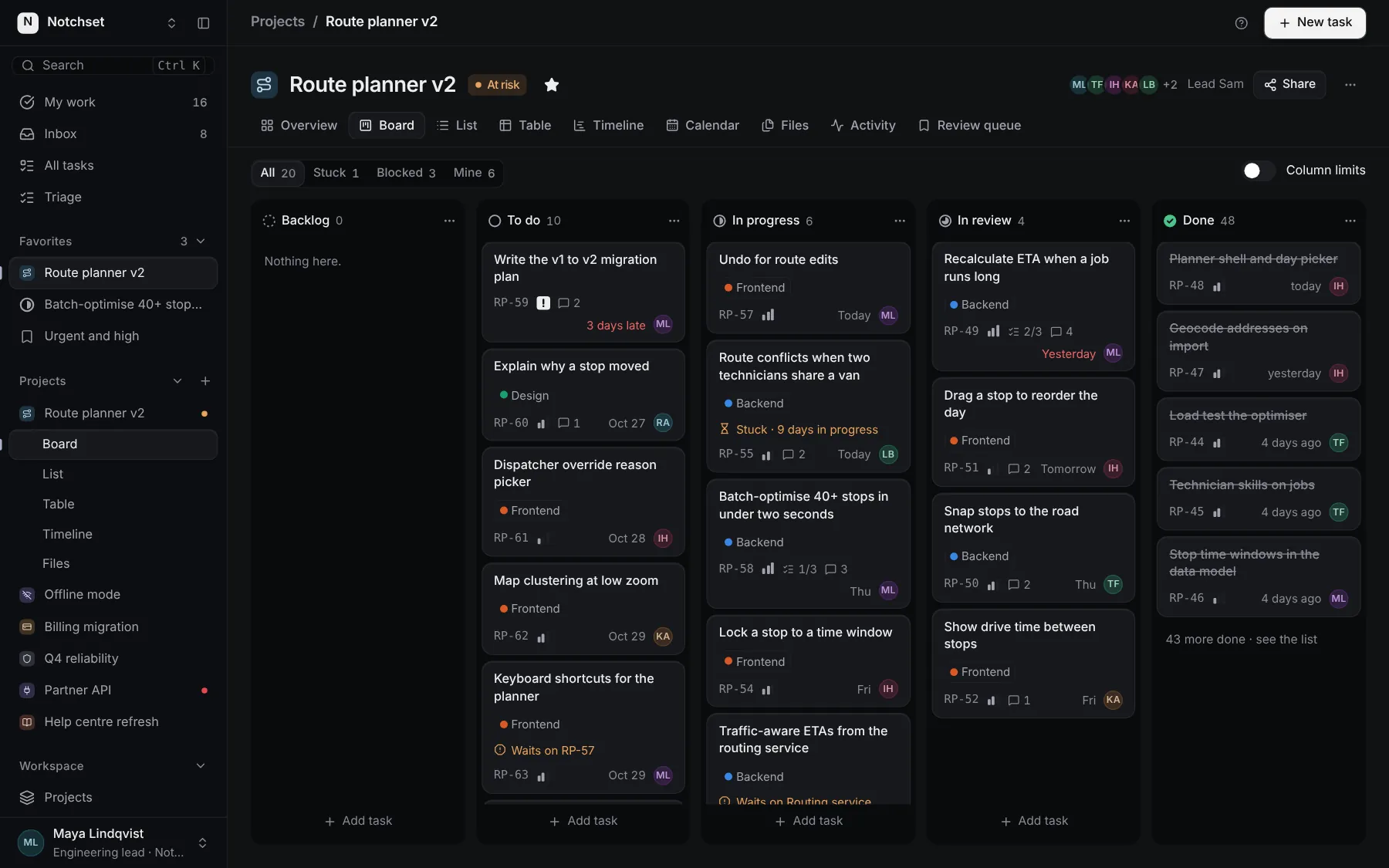
Part of
Included with Pro
Pro is in early access.