Token field
FREEAn input that holds several values as chips together
Type, then Enter adds; Backspace twice takes the last one off
pnpm dlx shadcn@latest add https://notchset.dev/r/token-field.jsonPair this component with
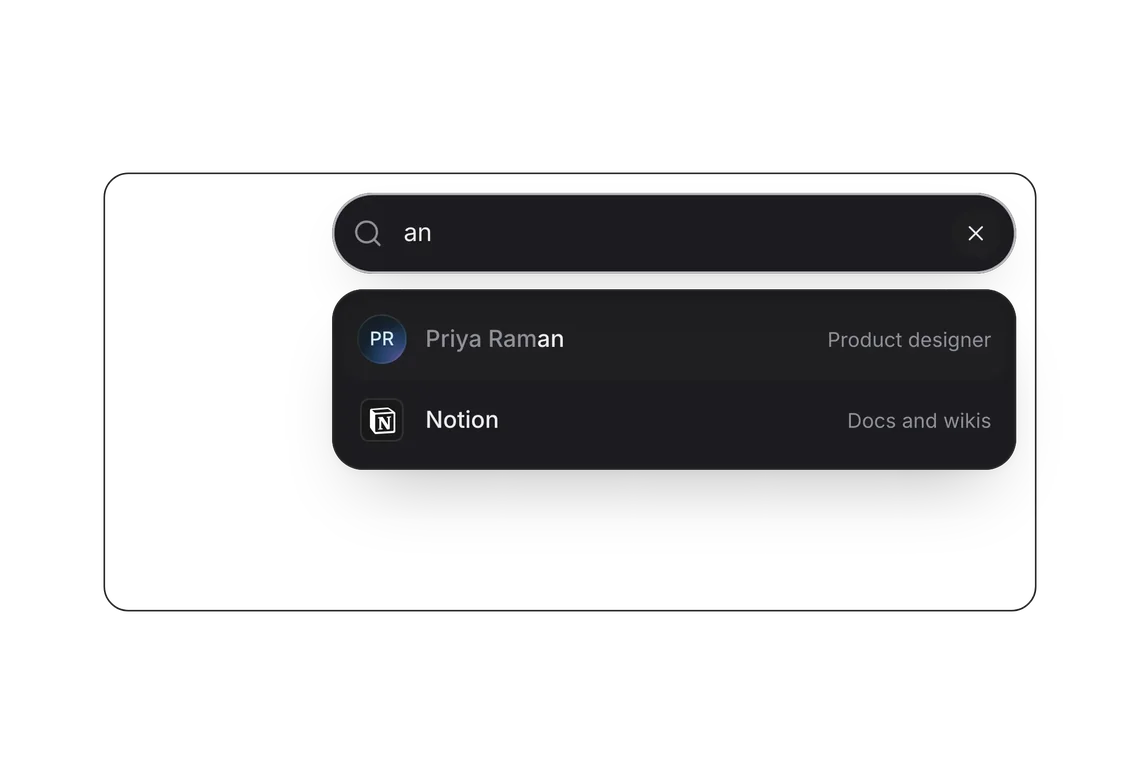
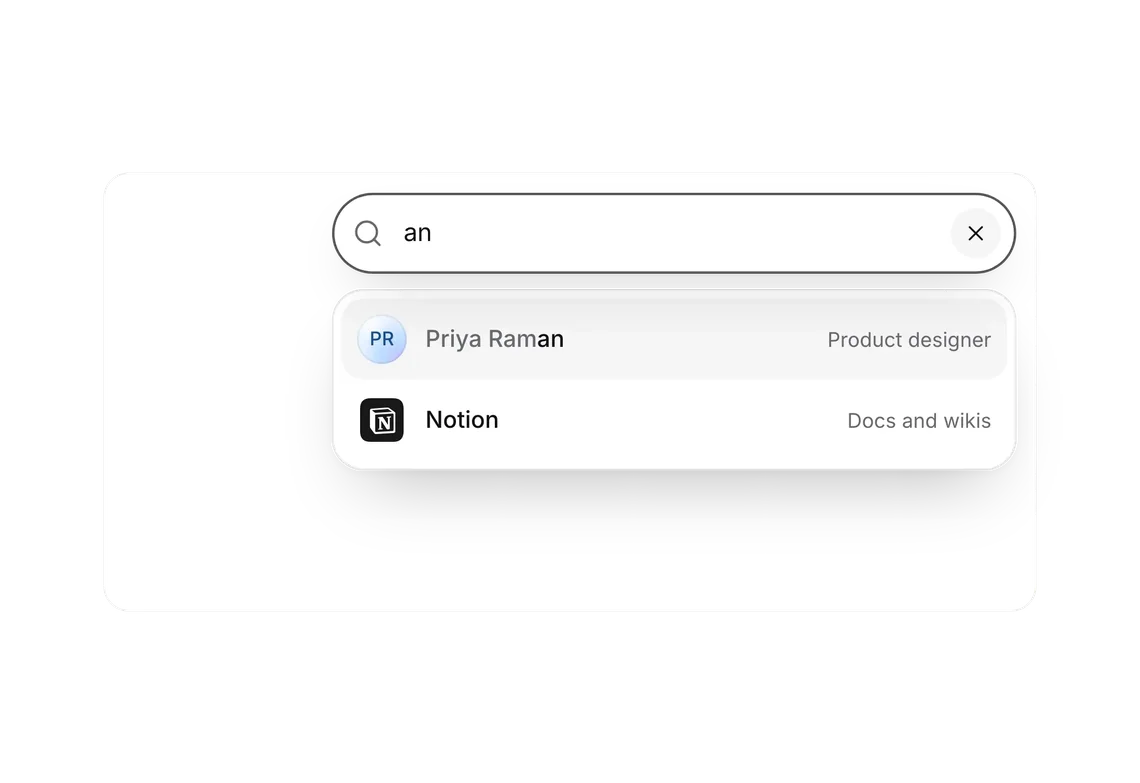
Several values as chips in one field.
Every shadcn style · one file
Usage
Import it and pass your content. The props that matter most are listed next.
Example · as previewed
"use client";
import * as React from "react";
import { TokenField, type Recipient } from "@/components/ui/notchset/token-field";
import { useLessMotion } from "@/lib/notchset/motion";
import { useSelfPlay } from "./self-play";

/* Who it goes to: one field. Type to find someone and Enter adds them. On arrival a list is pasted once: the chips pop
   in one after another, someone already in hops, an address nobody has comes in dashed ("new to the thread").
   Backspace in the empty box arms the last chip, again removes it; Left walks into the chips. */
const P = (id: string, name: string, email: string, n: string, sub?: string): Recipient => ({ id, name, email, src: `https://notchset.dev/media/people/person-${n}.webp`, ...(sub ? { sub } : {}) });
const PEOPLE = [
  P("maya", "Maya Lindqvist", "maya@notchset.com", "03", "Admin"),
  P("priya", "Priya Raman", "priya@notchset.com", "01", "Account executive"),
  P("ana", "Ana Ruiz", "ana@notchset.com", "05", "Sales engineer"),
  P("ines", "Ines Duarte", "ines@notchset.com", "07", "Customer success"),
  P("jonas", "Jonas Weber", "jonas@revolut.com", "06"),
  P("leila", "Leila Shah", "leila@stripe.com", "08"),
];
const START = [PEOPLE[0]!, PEOPLE[1]!];
const PASTE = "priya@notchset.com, ana@notchset.com; jonas@revolut.com\njordan@vercel.com";

export default function TokenFieldDemo() {
  const [to, setTo] = React.useState<Recipient[]>(START);
  const box = React.useRef<HTMLDivElement>(null);
  const play = useSelfPlay(box, { beats: [0], off: useLessMotion() });
  /* the arrival: a real paste event into the box (focus stays where it is), so the field does what a paste does */
  React.useEffect(() => {
    if (play.step !== 0) return;
    const input = box.current?.querySelector("input:not([type=hidden])") as HTMLInputElement | null;
    if (!input || typeof DataTransfer === "undefined") return;
    const data = new DataTransfer();
    data.setData("text", PASTE);
    input.dispatchEvent(new ClipboardEvent("paste", { clipboardData: data, bubbles: true, cancelable: true }));
  }, [play.step, play.taken]);
  return (
    <div className="flex w-full flex-col items-center">
      {/* one footprint: the box may grow a line without moving the page under the stage */}
      <div ref={box} onPointerDownCapture={play.handOver} onKeyDownCapture={play.handOver} className="flex min-h-[214px] w-[var(--ns-width-md)] max-w-full flex-col gap-1.5 text-[length:var(--ns-text-small)] text-[var(--ns-ink-2)]">
        <span>To</span>
        <TokenField aria-label="To" placeholder="Type a name or an address" people={PEOPLE} value={to} onValueChange={setTo} />
      </div>
    </div>
  );
}Example: the full example
Example
"use client";
import * as React from "react";
import { TokenField, type Recipient } from "@/components/ui/notchset/token-field";
import { useLessMotion } from "@/lib/notchset/motion";
import { useSelfPlay } from "./self-play";

/* Who it goes to: one field. Type to find someone and Enter adds them. On arrival a list is pasted once: the chips pop
   in one after another, someone already in hops, an address nobody has comes in dashed ("new to the thread").
   Backspace in the empty box arms the last chip, again removes it; Left walks into the chips. */
const P = (id: string, name: string, email: string, n: string, sub?: string): Recipient => ({ id, name, email, src: `https://notchset.dev/media/people/person-${n}.webp`, ...(sub ? { sub } : {}) });
const PEOPLE = [
  P("maya", "Maya Lindqvist", "maya@notchset.com", "03", "Admin"),
  P("priya", "Priya Raman", "priya@notchset.com", "01", "Account executive"),
  P("ana", "Ana Ruiz", "ana@notchset.com", "05", "Sales engineer"),
  P("ines", "Ines Duarte", "ines@notchset.com", "07", "Customer success"),
  P("jonas", "Jonas Weber", "jonas@revolut.com", "06"),
  P("leila", "Leila Shah", "leila@stripe.com", "08"),
];
const START = [PEOPLE[0]!, PEOPLE[1]!];
const PASTE = "priya@notchset.com, ana@notchset.com; jonas@revolut.com\njordan@vercel.com";

export default function TokenFieldDemo() {
  const [to, setTo] = React.useState<Recipient[]>(START);
  const box = React.useRef<HTMLDivElement>(null);
  const play = useSelfPlay(box, { beats: [0], off: useLessMotion() });
  /* the arrival: a real paste event into the box (focus stays where it is), so the field does what a paste does */
  React.useEffect(() => {
    if (play.step !== 0) return;
    const input = box.current?.querySelector("input:not([type=hidden])") as HTMLInputElement | null;
    if (!input || typeof DataTransfer === "undefined") return;
    const data = new DataTransfer();
    data.setData("text", PASTE);
    input.dispatchEvent(new ClipboardEvent("paste", { clipboardData: data, bubbles: true, cancelable: true }));
  }, [play.step, play.taken]);
  return (
    <div className="flex w-full flex-col items-center">
      {/* one footprint: the box may grow a line without moving the page under the stage */}
      <div ref={box} onPointerDownCapture={play.handOver} onKeyDownCapture={play.handOver} className="flex min-h-[214px] w-[var(--ns-width-md)] max-w-full flex-col gap-1.5 text-[length:var(--ns-text-small)] text-[var(--ns-ink-2)]">
        <span>To</span>
        <TokenField aria-label="To" placeholder="Type a name or an address" people={PEOPLE} value={to} onValueChange={setTo} />
      </div>
    </div>
  );
}
self-play.ts: the sample data the example imports, saved beside it
self-play.ts
"use client";
import * as React from "react";

/*
 * A demo that plays itself until the first touch: the script lives in the demo, never in the piece, which only gets
 * the props a person would give it. It moves 0.4 s after the piece is first seen, then takes each step on its beat;
 * off screen or paused it waits. The first press, key or focus on the piece (bind `handOver` to it; a scroll over it never counts) makes it the
 * visitor's for good and drops every queued step; with less motion (`off`) it never plays and rests in its first frame.
 * A host can hand it over from outside the piece too (a settings panel beside it the visitor has used): under
 * <HandedOver value>, it never plays, a remount included.
 *
 *   const play = useSelfPlay(root, { beats: [2800, 2800], loop: true, off: less });
 *   <div ref={root} onPointerDownCapture={play.handOver} onKeyDownCapture={play.handOver} onFocusCapture={play.handOver}>
 *   play.step // the step it is at, -1 before its first
 *   play.control // "pause" while it plays, "play" once paused (a new take), "replay" once it is over or yours
 *
 * Each step presses the piece's own controls (pressIn), so the script shows exactly what a hand can do.
 *
 * A host that shows the piece once (<PlayOnce value={{ settle }}>) changes three things: the script starts when the
 * piece is first half in view and never again on coming back, it never loops, and with less motion (or `settle`) it
 * takes every step at once, so the piece rests on the END of its moment. `hold` is a reason not to play at all that is
 * not motion (a mode with nothing to show): it holds in every host. Under <PlayOnce value={{ active: false }}> (a look
 * that is mounted but not shown) it waits until it is shown.
 */
type SelfPlayOptions = {
  /** how long each step waits after the one before it, in ms; the first step waits 0.4 s after the piece is seen */
  beats: readonly number[];
  /** starts over after the last step; without it the script plays once and rests */
  loop?: boolean | undefined;
  /** no self-play at all (less motion): the piece is the visitor's from the start */
  off: boolean;
  /** no self-play for a reason other than motion (a mode with nothing to show), in every host */
  hold?: boolean | undefined;
};

/** How a host shows the piece: once on arrival (see useSelfPlay). */
type PlayOnceHost = {
  /** rest on the end at once, without playing (less motion, or a reset) */
  settle?: boolean | undefined;
  /** false while the piece is mounted but not shown: it waits */
  active?: boolean | undefined;
};

const START = 400;
/**
 * Whether a demo plays itself at all. Off: every piece rests in its first frame and is
 * the visitor's from the start; nothing presses its controls for them.
 */
const SELF_PLAY: boolean = false;

/** True where the visitor has already taken the piece from outside it: nothing under it plays itself. */
const HandedOver = React.createContext(false);

/** A host that shows the piece once: play once on arrival, rest on the end (null: play as the demo asks). */
const PlayOnce = React.createContext<PlayOnceHost | null>(null);

function useSelfPlay(root: React.RefObject<Element | null>, { beats, loop: looped = false, off: still, hold = false }: SelfPlayOptions) {
  const once = React.useContext(PlayOnce);
  const active = once?.active !== false;
  /* shown once: less motion (or a settled host) takes every step at once and rests on the end */
  const quick = once != null && (still || Boolean(once.settle));
  const loop = once == null && looped;
  /* the first touch hands it over for good */
  const [mine, setMine] = React.useState(false);
  const handOver = React.useCallback(() => setMine(true), []);
  const handedOver = React.useContext(HandedOver);
  const off = !SELF_PLAY || hold || (quick ? false : still) || mine || (handedOver && !quick);
  const [seen, setSeen] = React.useState(false);
  const [paused, setPaused] = React.useState(false);
  const [taken, setTaken] = React.useState(0);
  const n = Math.max(1, beats.length);
  const done = !loop && taken >= n;
  React.useEffect(() => {
    const el = root.current;
    if (!active) return;
    /* without an observer (an old browser, a test) it counts as seen */
    if (!el || typeof IntersectionObserver === "undefined" || quick) {
      const t = window.setTimeout(() => setSeen(true));
      return () => window.clearTimeout(t);
    }
    /* shown once: first half in view starts it, and leaving never stops or restarts it */
    const io = once
      ? new IntersectionObserver((es) => {
          if (es.some((e) => e.isIntersecting && e.intersectionRatio >= 0.5)) {
            setSeen(true);
            io.disconnect();
          }
        }, { threshold: 0.5 })
      : new IntersectionObserver((es) => setSeen(es.some((e) => e.isIntersecting)));
    io.observe(el);
    return () => io.disconnect();
  }, [root, active, once, quick]);
  const playing = !off && seen && active && !paused && !done;
  const delay = quick ? 0 : taken === 0 ? START : (beats[taken % n] ?? START);
  React.useEffect(() => {
    if (!playing) return;
    const t = window.setTimeout(() => setTaken((k) => k + 1), delay);
    return () => window.clearTimeout(t);
  }, [playing, taken, delay]);
  /* one control in one place: Pause while it plays, Play (a new take) once paused, Replay once it is over or yours */
  /* self-play off: never "over", so a demo rests in its FIRST frame, not its end frame */
  const control: "pause" | "play" | "replay" = paused || !SELF_PLAY ? "play" : off || done ? "replay" : "pause";
  return { step: taken === 0 ? -1 : (taken - 1) % n, taken, playing, control, mine, handOver, pause: () => setPaused(true) };
}

/**
 * Presses a real control inside `root`, as the visitor would: the first match of `selector`, or the one whose text is
 * `text`. A click only, so it never counts as the visitor's touch.
 */
function pressIn(root: Element | null, selector: string, text?: string) {
  const all = [...(root?.querySelectorAll<HTMLElement>(selector) ?? [])];
  (text == null ? all[0] : all.find((el) => el.textContent?.trim() === text))?.click();
}

export { HandedOver, PlayOnce, pressIn, useSelfPlay, type PlayOnceHost, type SelfPlayOptions };
Anatomy
Source
components/ui/notchset/token-field.tsx
Loading the code
LevelMolecule: made of atoms only.
Made ofAvatar
Install notes
Free, no account or key. One command for every shadcn style. With the @notchset registry added, @notchset/<name> works too.
Works with React 18.3 or 19 on Tailwind CSS v4, in any shadcn project. What's tested
Install by hand
- 1. Add the packages (react and react-dom are your app's own)
pnpm add @base-ui/react@^1 lucide-react@^1 - 2. Copy the files to these paths (the source, or save them all as a .zip)
- components/ui/notchset/token-field.tsx
- lib/notchset/controllable.ts
- lib/notchset/feedback.ts
- components/ui/notchset/field-parts.tsx
- lib/notchset/glide.ts
- lib/notchset/icons.ts
- lib/notchset/motion.ts
- lib/notchset/popup.ts
- lib/notchset/portal.ts
- 3. No stylesheet needed.
- 4. Install what it builds on first: shadcn's cn helper (lib/utils.ts, from npx shadcn init), the theme foundation (its tokens and base styles), Avatar
Styles didn't apply?
The CLI adds the styles to the CSS file named in components.json (tailwind.css). Check that it points at your global stylesheet, that the project uses Tailwind CSS v4, and that the file is imported in your root layout. Installed by hand: paste styles.css into that file.
The sound you hear is this page's: the piece you install plays none, and calls onFeedback on each move so you can add your own.
Props
people–Recipient[]everyone who can be added, matched by name and address as the person types
value–Recipient[]the chips in the field, in order (controlled, with onValueChange)
defaultValue–Recipient[]the chips at first (uncontrolled)
onValueChange–(value: Recipient[]) => voidcalled with the chips after one is added, pasted or removed
name–stringthe form field name: a form sends one address per chip under it
elsewhere–Recipient[]Addresses already in the envelope's other fields (Cc, Bcc): typing one exactly adds nothing, never moves it.
Show all 11 propsShow fewer
aria-label–stringthe field's name for a screen reader ("To")
placeholder"Add a name or address"stringshown while no chip is in
variant"list""list" | "faces"how people are found: a list under the field as you type ("list"), or a row of faces that narrows ("faces")
markstruebooleanfalse: chips and matches carry no avatar (tags, labels)
onFeedback–(e: FeedbackEvent) => voidcalled once per move, for your sound or haptics
Three usesan email's recipients · a document's share list · a meeting's invitees
- value
- up to 99 chips, wrapping onto more lines as the box grows; a chip shows a name (1 line, then truncated, its address as the title) with a 20px avatar
- people
- any number; the list shows only the matches, ranked
- placeholder
- 3 to 5 words, shown only while the box is empty
For coding agents
Give your coding assistant the Markdown guide instead of screenshots.
Use it for
- Several people or addresses in one field, where each can also be typed new (To, Cc, a share list).
Use something else when
- One value from a list is Combobox; a filter already applied is Chip.
Mistakes to avoid
- Using it for one value: that is Combobox
- Keeping the typed text yourself: the field clears its input when a chip is added
- Leaving out elsewhere when the envelope has Cc and Bcc: an address could be added twice
Keyboard and screen readers
- A combobox input with its list of matches (Arrow keys move, Enter or a comma adds, Escape closes).
- Each chip is named by the person (and "new to this conversation" when it is) with a remove button named "Remove <name>"; Backspace in the empty input takes the last chip.
- A paste that leaves something unreadable marks the input invalid.
Motion
- a new chip pops in: ns-token-pop 340ms on --ns-ease-arrive. Reduced motion: at once (the token field's rule).
- the chips it pushes hop aside: ns-token-hop 380ms on --ns-ease-arrive. Reduced motion: at once (the token field's rule).
- a refused entry shakes: ns-token-shake 360ms; reduced, ns-fade over 1ms. Reduced motion: no shake: a 1ms fade (motion-reduce).
- the popup of matches opens: the shared popup move (data-ns-moves). Reduced motion: it appears in place.
- chips after a removed one slide back along their line: useRowGlide (transform), --ns-time-panel, --ns-ease-move. Reduced motion: they land at once.
- a chip you add pops in; the chips it arrived with are simply there: ns-pop, --ns-time-menu, --ns-ease-pop (data-ns-still). Reduced motion: simply there.
- press: a chip's remove sinks and springs back: data-ns-press: down to --ns-press-scale in --ns-time-quick on --ns-ease-press, back in --ns-time-spring on --ns-ease-spring; colours on --ns-time-color. Reduced motion: no scale under either switch; the colours still change.
Responsive
- phone: the email keyboard and 28px remove targets
- desktop
- dark (tokens)
- reduced motion: removed chips' neighbours land at once
Performance
- Matching runs over the people list on each keystroke; past a few thousand people, pass the matches from your own search instead of the whole list.
Where agents read it
- Guide for this component: https://notchset.dev/md/token-field.md
- Every component, for tools without MCP: /llms.txt
- MCP server:
https://notchset.dev/api/mcp(setup)
Pair this component with
Changelog
v1.2.0 · 2026-11-17
Ships field-parts.tsx (clearOfKeyboard, fieldSurface, useFocusRefused), which it now uses. Internal files split; installs smaller; no change to the piece's own API.
v1.1.0 · 2026-11-17
New props: marks, onFeedback, variant. Ships feedback.ts (FeedbackEvent, FeedbackProps), which it now uses. Ships glide.ts (SORT_GLIDE), which it now uses. Ships motion.ts (EASE, lessMotion, roleTiming, useLessMotion), which it now uses. Ships portal.ts (useStagePlacement), which it now uses.
v1.0.0 · 2026-11-09
Released free with the Notchset system.