Change set
PROA list of changed records for keeping or undoing edits
Tab to Undo or Redo · ↵ keeps the rest
pnpm dlx shadcn@latest add @notchset-pro/change-setPair this component with
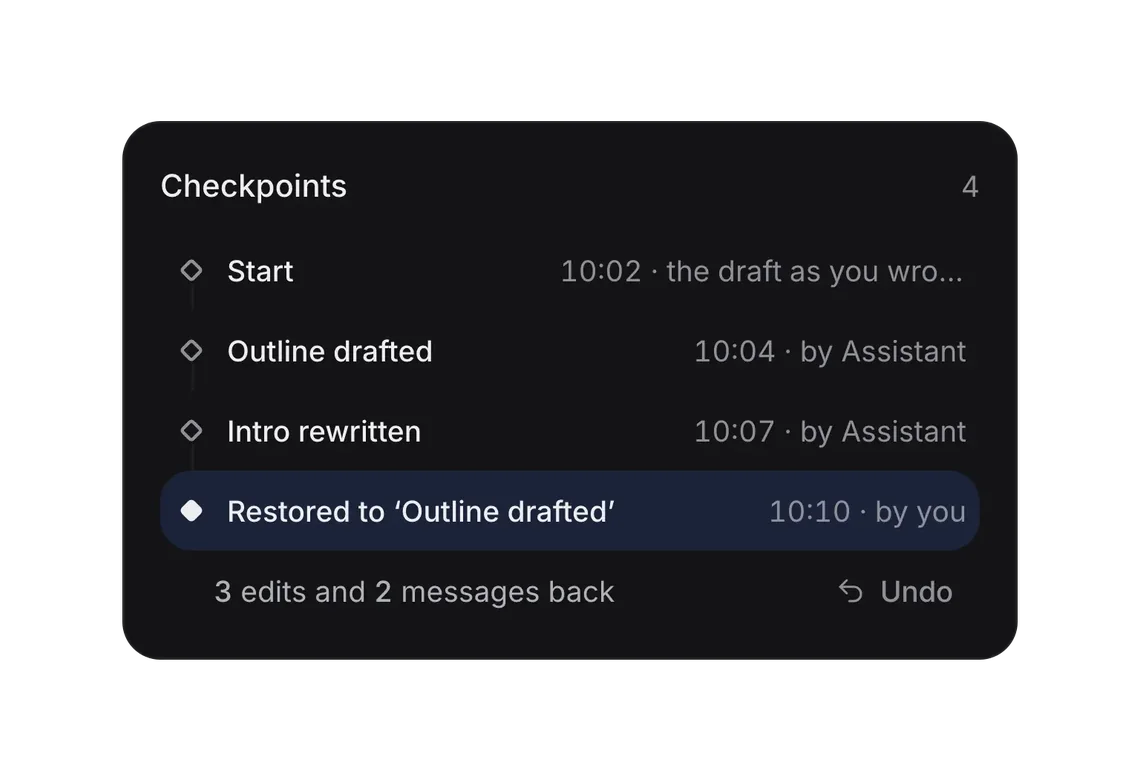
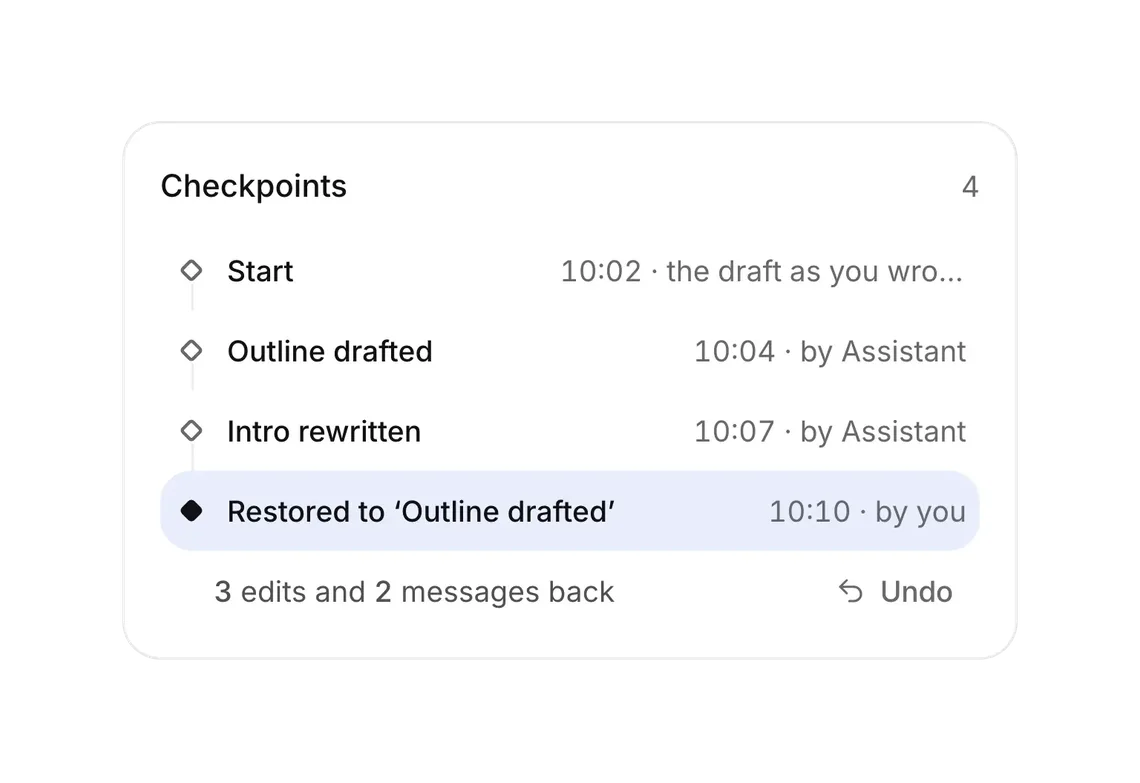
What a run changed, each record marked by who changed it: undo any, Keep all.
Every shadcn style · one file
Usage
Import it and pass your content. The props that matter most are listed next.
Example · as previewed
"use client";
import * as React from "react";
import type { Actor } from "@/components/ui/notchset/actor-tag";
import { ChangeSet, type ChangeSetRow } from "@/components/ui/notchset/change-set";
import { useLessMotion } from "@/lib/notchset/motion";
import { useSelfPlay } from "./self-play";

/*
 * What the Assistant changed on the team calendar: one person a row, each with a photo. On view the rows grow in as
 * the changes land, the head counting what it shows ("2 of 4"), then one is undone: it keeps its place, says Undone
 * with Redo, and the count says so. The hand undoes or redoes a row, keeps the rest (Mod+Enter), or undoes all.
 * Less motion shows the end at once. Nothing is saved anywhere.
 */
type Status = NonNullable<ChangeSetRow["status"]>;
const AGENT: Actor = { kind: "agent", name: "Assistant" };
const row = (id: string, name: string, before: string, after: string, n: number): ChangeSetRow => ({
  id, name, field: "Time zone", before, after, actor: AGENT, change: `Time zone: ${before} → ${after}`, src: `https://notchset.dev/media/people/person-0${n}.webp`,
});
const ROWS: ChangeSetRow[] = [
  row("maya", "Maya Lindqvist", "Lisbon", "Stockholm", 3),
  row("priya", "Priya Raman", "London", "Bengaluru", 5),
  row("ines", "Ines Duarte", "Madrid", "Lisbon", 6),
  row("kevin", "Kevin Ito", "New York", "Tokyo", 7),
];
const UNDONE = "ines";
/* a row lands on each beat; the last beat undoes one */
const BEATS = [0, 520, 520, 520, 900];
const noop = () => {};

export default function ChangeSetDemo() {
  const less = useLessMotion();
  const rows = ROWS;
  const root = React.useRef<HTMLDivElement>(null);
  const play = useSelfPlay(root, { beats: BEATS, off: less });
  /* how many rows have arrived (the last one still landing), and each row's state once landed */
  const [landed, setLanded] = React.useState(0);
  const [status, setStatus] = React.useState<Record<string, Status>>({ [UNDONE]: "undone" });
  const [at, setAt] = React.useState<string>();
  const end = !play.mine && play.step < 0 && play.control === "replay";
  React.useEffect(() => {
    if (play.mine || play.step < 0 || play.step >= rows.length) return;
    const id = window.setTimeout(() => setLanded(play.step + 1), less ? 0 : 440);
    return () => window.clearTimeout(id);
  }, [play.step, play.mine, rows.length, less]);
  const arrived = Math.min(rows.length, play.step + 1);
  /* a hand mid-play takes the set whole: every row landed */
  const n = end || play.mine ? rows.length : arrived;
  const ready = end || play.mine || play.step >= rows.length ? rows.length : landed;
  /* the undo lands on the play's last beat; until then every landed row is pending */
  const decided = end || play.mine || play.step >= rows.length;
  const shown = rows.slice(0, n).map((r, i): ChangeSetRow => ({ ...r, status: i >= ready ? "landing" : decided ? (status[r.id] ?? "pending") : "pending" }));
  const set = (s: Status, only?: string) =>
    setStatus((cur) => Object.fromEntries(rows.map((r) => [r.id, only && only !== r.id ? (cur[r.id] ?? "pending") : s === "kept" && cur[r.id] === "undone" ? "undone" : s])));
  const full = rows.map((r) => ({ ...r, status: r.id === UNDONE ? ("undone" as const) : ("pending" as const) }));
  return (
    <div ref={root} onPointerDownCapture={play.handOver} onKeyDownCapture={play.handOver} className="grid w-[min(100%,34rem)] grid-cols-[minmax(0,1fr)]">
      {/* the whole set, unseen, holds the stage's height while the rows land */}
      <div aria-hidden ref={(el) => void (el && (el.inert = true))} className="invisible col-start-1 row-start-1 min-w-0">
        <ChangeSet title="Team calendar" rows={full} onUndo={noop} onRedo={noop} onKeepAll={noop} onUndoAll={noop} />
      </div>
      <div className="col-start-1 row-start-1 min-w-0 self-start">
        <ChangeSet
          title="Team calendar"
          rows={shown}
          total={rows.length}
          keptBy={at ? { who: "you", at } : undefined}
          onUndo={(id) => set("undone", id)}
          onRedo={(id) => set("pending", id)}
          onKeepAll={() => {
            set("kept");
            setAt(new Date().toLocaleTimeString([], { hour: "2-digit", minute: "2-digit", hour12: false }));
          }}
          onUndoAll={() => set("undone")}
          onRevert={() => {
            set("undone");
            setAt(undefined);
          }}
        />
      </div>
    </div>
  );
}Example: the full example
Example
"use client";
import * as React from "react";
import type { Actor } from "@/components/ui/notchset/actor-tag";
import { ChangeSet, type ChangeSetRow } from "@/components/ui/notchset/change-set";
import { useLessMotion } from "@/lib/notchset/motion";
import { useSelfPlay } from "./self-play";

/*
 * What the Assistant changed on the team calendar: one person a row, each with a photo. On view the rows grow in as
 * the changes land, the head counting what it shows ("2 of 4"), then one is undone: it keeps its place, says Undone
 * with Redo, and the count says so. The hand undoes or redoes a row, keeps the rest (Mod+Enter), or undoes all.
 * Less motion shows the end at once. Nothing is saved anywhere.
 */
type Status = NonNullable<ChangeSetRow["status"]>;
const AGENT: Actor = { kind: "agent", name: "Assistant" };
const row = (id: string, name: string, before: string, after: string, n: number): ChangeSetRow => ({
  id, name, field: "Time zone", before, after, actor: AGENT, change: `Time zone: ${before} → ${after}`, src: `https://notchset.dev/media/people/person-0${n}.webp`,
});
const ROWS: ChangeSetRow[] = [
  row("maya", "Maya Lindqvist", "Lisbon", "Stockholm", 3),
  row("priya", "Priya Raman", "London", "Bengaluru", 5),
  row("ines", "Ines Duarte", "Madrid", "Lisbon", 6),
  row("kevin", "Kevin Ito", "New York", "Tokyo", 7),
];
const UNDONE = "ines";
/* a row lands on each beat; the last beat undoes one */
const BEATS = [0, 520, 520, 520, 900];
const noop = () => {};

export default function ChangeSetDemo() {
  const less = useLessMotion();
  const rows = ROWS;
  const root = React.useRef<HTMLDivElement>(null);
  const play = useSelfPlay(root, { beats: BEATS, off: less });
  /* how many rows have arrived (the last one still landing), and each row's state once landed */
  const [landed, setLanded] = React.useState(0);
  const [status, setStatus] = React.useState<Record<string, Status>>({ [UNDONE]: "undone" });
  const [at, setAt] = React.useState<string>();
  const end = !play.mine && play.step < 0 && play.control === "replay";
  React.useEffect(() => {
    if (play.mine || play.step < 0 || play.step >= rows.length) return;
    const id = window.setTimeout(() => setLanded(play.step + 1), less ? 0 : 440);
    return () => window.clearTimeout(id);
  }, [play.step, play.mine, rows.length, less]);
  const arrived = Math.min(rows.length, play.step + 1);
  /* a hand mid-play takes the set whole: every row landed */
  const n = end || play.mine ? rows.length : arrived;
  const ready = end || play.mine || play.step >= rows.length ? rows.length : landed;
  /* the undo lands on the play's last beat; until then every landed row is pending */
  const decided = end || play.mine || play.step >= rows.length;
  const shown = rows.slice(0, n).map((r, i): ChangeSetRow => ({ ...r, status: i >= ready ? "landing" : decided ? (status[r.id] ?? "pending") : "pending" }));
  const set = (s: Status, only?: string) =>
    setStatus((cur) => Object.fromEntries(rows.map((r) => [r.id, only && only !== r.id ? (cur[r.id] ?? "pending") : s === "kept" && cur[r.id] === "undone" ? "undone" : s])));
  const full = rows.map((r) => ({ ...r, status: r.id === UNDONE ? ("undone" as const) : ("pending" as const) }));
  return (
    <div ref={root} onPointerDownCapture={play.handOver} onKeyDownCapture={play.handOver} className="grid w-[min(100%,34rem)] grid-cols-[minmax(0,1fr)]">
      {/* the whole set, unseen, holds the stage's height while the rows land */}
      <div aria-hidden ref={(el) => void (el && (el.inert = true))} className="invisible col-start-1 row-start-1 min-w-0">
        <ChangeSet title="Team calendar" rows={full} onUndo={noop} onRedo={noop} onKeepAll={noop} onUndoAll={noop} />
      </div>
      <div className="col-start-1 row-start-1 min-w-0 self-start">
        <ChangeSet
          title="Team calendar"
          rows={shown}
          total={rows.length}
          keptBy={at ? { who: "you", at } : undefined}
          onUndo={(id) => set("undone", id)}
          onRedo={(id) => set("pending", id)}
          onKeepAll={() => {
            set("kept");
            setAt(new Date().toLocaleTimeString([], { hour: "2-digit", minute: "2-digit", hour12: false }));
          }}
          onUndoAll={() => set("undone")}
          onRevert={() => {
            set("undone");
            setAt(undefined);
          }}
        />
      </div>
    </div>
  );
}
self-play.ts: the sample data the example imports, saved beside it
self-play.ts
"use client";
import * as React from "react";

/*
 * A demo that plays itself until the first touch: the script lives in the demo, never in the piece, which only gets
 * the props a person would give it. It moves 0.4 s after the piece is first seen, then takes each step on its beat;
 * off screen or paused it waits. The first press, key or focus on the piece (bind `handOver` to it; a scroll over it never counts) makes it the
 * visitor's for good and drops every queued step; with less motion (`off`) it never plays and rests in its first frame.
 * A host can hand it over from outside the piece too (a settings panel beside it the visitor has used): under
 * <HandedOver value>, it never plays, a remount included.
 *
 *   const play = useSelfPlay(root, { beats: [2800, 2800], loop: true, off: less });
 *   <div ref={root} onPointerDownCapture={play.handOver} onKeyDownCapture={play.handOver} onFocusCapture={play.handOver}>
 *   play.step // the step it is at, -1 before its first
 *   play.control // "pause" while it plays, "play" once paused (a new take), "replay" once it is over or yours
 *
 * Each step presses the piece's own controls (pressIn), so the script shows exactly what a hand can do.
 *
 * A host that shows the piece once (<PlayOnce value={{ settle }}>) changes three things: the script starts when the
 * piece is first half in view and never again on coming back, it never loops, and with less motion (or `settle`) it
 * takes every step at once, so the piece rests on the END of its moment. `hold` is a reason not to play at all that is
 * not motion (a mode with nothing to show): it holds in every host. Under <PlayOnce value={{ active: false }}> (a look
 * that is mounted but not shown) it waits until it is shown.
 */
type SelfPlayOptions = {
  /** how long each step waits after the one before it, in ms; the first step waits 0.4 s after the piece is seen */
  beats: readonly number[];
  /** starts over after the last step; without it the script plays once and rests */
  loop?: boolean | undefined;
  /** no self-play at all (less motion): the piece is the visitor's from the start */
  off: boolean;
  /** no self-play for a reason other than motion (a mode with nothing to show), in every host */
  hold?: boolean | undefined;
};

/** How a host shows the piece: once on arrival (see useSelfPlay). */
type PlayOnceHost = {
  /** rest on the end at once, without playing (less motion, or a reset) */
  settle?: boolean | undefined;
  /** false while the piece is mounted but not shown: it waits */
  active?: boolean | undefined;
};

const START = 400;
/**
 * Whether a demo plays itself at all. Off: every piece rests in its first frame and is
 * the visitor's from the start; nothing presses its controls for them.
 */
const SELF_PLAY: boolean = false;

/** True where the visitor has already taken the piece from outside it: nothing under it plays itself. */
const HandedOver = React.createContext(false);

/** A host that shows the piece once: play once on arrival, rest on the end (null: play as the demo asks). */
const PlayOnce = React.createContext<PlayOnceHost | null>(null);

function useSelfPlay(root: React.RefObject<Element | null>, { beats, loop: looped = false, off: still, hold = false }: SelfPlayOptions) {
  const once = React.useContext(PlayOnce);
  const active = once?.active !== false;
  /* shown once: less motion (or a settled host) takes every step at once and rests on the end */
  const quick = once != null && (still || Boolean(once.settle));
  const loop = once == null && looped;
  /* the first touch hands it over for good */
  const [mine, setMine] = React.useState(false);
  const handOver = React.useCallback(() => setMine(true), []);
  const handedOver = React.useContext(HandedOver);
  const off = !SELF_PLAY || hold || (quick ? false : still) || mine || (handedOver && !quick);
  const [seen, setSeen] = React.useState(false);
  const [paused, setPaused] = React.useState(false);
  const [taken, setTaken] = React.useState(0);
  const n = Math.max(1, beats.length);
  const done = !loop && taken >= n;
  React.useEffect(() => {
    const el = root.current;
    if (!active) return;
    /* without an observer (an old browser, a test) it counts as seen */
    if (!el || typeof IntersectionObserver === "undefined" || quick) {
      const t = window.setTimeout(() => setSeen(true));
      return () => window.clearTimeout(t);
    }
    /* shown once: first half in view starts it, and leaving never stops or restarts it */
    const io = once
      ? new IntersectionObserver((es) => {
          if (es.some((e) => e.isIntersecting && e.intersectionRatio >= 0.5)) {
            setSeen(true);
            io.disconnect();
          }
        }, { threshold: 0.5 })
      : new IntersectionObserver((es) => setSeen(es.some((e) => e.isIntersecting)));
    io.observe(el);
    return () => io.disconnect();
  }, [root, active, once, quick]);
  const playing = !off && seen && active && !paused && !done;
  const delay = quick ? 0 : taken === 0 ? START : (beats[taken % n] ?? START);
  React.useEffect(() => {
    if (!playing) return;
    const t = window.setTimeout(() => setTaken((k) => k + 1), delay);
    return () => window.clearTimeout(t);
  }, [playing, taken, delay]);
  /* one control in one place: Pause while it plays, Play (a new take) once paused, Replay once it is over or yours */
  /* self-play off: never "over", so a demo rests in its FIRST frame, not its end frame */
  const control: "pause" | "play" | "replay" = paused || !SELF_PLAY ? "play" : off || done ? "replay" : "pause";
  return { step: taken === 0 ? -1 : (taken - 1) % n, taken, playing, control, mine, handOver, pause: () => setPaused(true) };
}

/**
 * Presses a real control inside `root`, as the visitor would: the first match of `selector`, or the one whose text is
 * `text`. A click only, so it never counts as the visitor's touch.
 */
function pressIn(root: Element | null, selector: string, text?: string) {
  const all = [...(root?.querySelectorAll<HTMLElement>(selector) ?? [])];
  (text == null ? all[0] : all.find((el) => el.textContent?.trim() === text))?.click();
}

export { HandedOver, PlayOnce, pressIn, useSelfPlay, type PlayOnceHost, type SelfPlayOptions };
Anatomy
Source
components/ui/notchset/change-set.tsx
This component is included with Pro.
Try the live preview above. Get Pro to install the source.
LevelOrganism: made of molecules or blocks.
Made ofActor tag,Avatar,Button,Icon button,Keyboard hint,Live label,Rolling number
Install notes
Needs your registry key. Every components.json style gets the same files.
Works with React 18.3 or 19 on Tailwind CSS v4, in any shadcn project. What's tested
Styles didn't apply?
The CLI adds the styles to the CSS file named in components.json (tailwind.css). Check that it points at your global stylesheet, that the project uses Tailwind CSS v4, and that the file is imported in your root layout. Installed by hand: paste styles.css into that file.
The sound you hear is this page's: the piece you install plays none, and calls onFeedback on each move so you can add your own.
Props
onFeedback–(e: FeedbackEvent) => voidcalled once per move, for your sound or haptics
title–React.ReactNodewhat was changed: "Airtable contacts" (a node, so a mark can sit in it)
rows–readonly ChangeSetRow[]Required.
total–numberwhile changes still land: how many the run will make, for "4 of 5"
keptBy–{ who: string; at: string }once kept: who kept it and when, for the foot ("you", "10:42")
onUndo–(id: string) => void
Show all 12 propsShow fewer
onRedo–(id: string) => voidonKeepAll–() => voidKeep N in the foot, also on Mod+Enter
onUndoAll–() => voidonRevert–() => voidkept: Undo in the foot puts every record back
foldedfalsebooleaneach record starts folded to its one line (the clean view); its head, or the set's toggle, opens it
labels–Partial<ChangeSetLabels>
Three usesrecords an agent run changed · contacts a clean-up updated · issues a rule moved between lists
- rows[]
- one per record or file a run changed, in the order they landed
- row.name
- the record: "Kavya Nair", "pricing.md"
- row.change
- one line, field: before → after: "Lifecycle: Lead → Customer"
- row.undone
- what an undo left: "Company left as it was"
- title
- what was changed: "Airtable contacts"
For coding agents
Give your coding assistant the Markdown guide instead of screenshots.
Use it for
- A run changed many records or files and a person decides on each, or keeps them all.
Use something else when
- One text's change read word by word where it lands is change hunks; how a run ended, told in a few lines, is a run summary.
Mistakes to avoid
- Striking an undone row through or removing it: it stays and says Undone, with Redo
- Hiding who made a change: every row carries its actor's mark
- A spinner beside a row being made: its words say Updating
- A run's changes as a paragraph: one row per record, its change in one line
Keyboard and screen readers
- A list named by its heading; each row reads its record, its change and who made it (the actor's mark names itself).
- Undo and Redo are real buttons that name their row ("Undo Lena Ortiz: Company: blank → Fenwick & Rowe").
- An undone row says Undone in words, never by strike or colour alone; a kept row says Kept.
- The count is a status region.
- Keep N is also Mod+Enter, said on the button.
Motion
- a row grows from no height as its change lands: grid-template-rows on --ns-time-panel, --ns-ease-panel. Reduced motion: the row is there.
- the row being made says Updating with a soft ink sweep: LiveLabel: ns-shimmer on --ns-time-spin, --ns-ease-breathe. Reduced motion: still words.
- undo: the change line crossfades to Undone, the row never moves: opacity out on --ns-time-quick, --ns-ease-exit; in on --ns-time-menu, --ns-ease. Reduced motion: a swap.
- Keep all: each Undo turns into its tick, drawn top to bottom one stagger apart: ns-tick-draw on --ns-time-panel, --ns-ease, --ns-stagger-item apart. Reduced motion: the ticks are there.
- the kept count rolls: RollingNumber on --ns-time-roll, --ns-ease-panel. Reduced motion: it swaps.
Responsive
- phone and desktop
- dark (tokens)
- reduced motion: rows are there, the tick is there, words swap
Performance
- Rows draw plain; only a row arriving or turning kept plays a move, once.
- A landing row's sweep is one CSS animation; the rest is still.
Where agents read it
- Guide for this component: https://notchset.dev/md/change-set.md
- Every component, for tools without MCP: /llms.txt
- MCP server:
https://notchset.dev/api/mcp(setup)
Part of
Included with Pro
One payment, lifetime.
Pair this component with
Changelog
v2.0.0 · 2026-10-13
Released with the Notchset system.