Expanding button group
PROIcon actions in one row, one named, presses said done
Tab reaches the group; ← → name a key, Enter presses it
Variants
Look
pnpm dlx shadcn@latest add @notchset-pro/expanding-button-groupPair this component with
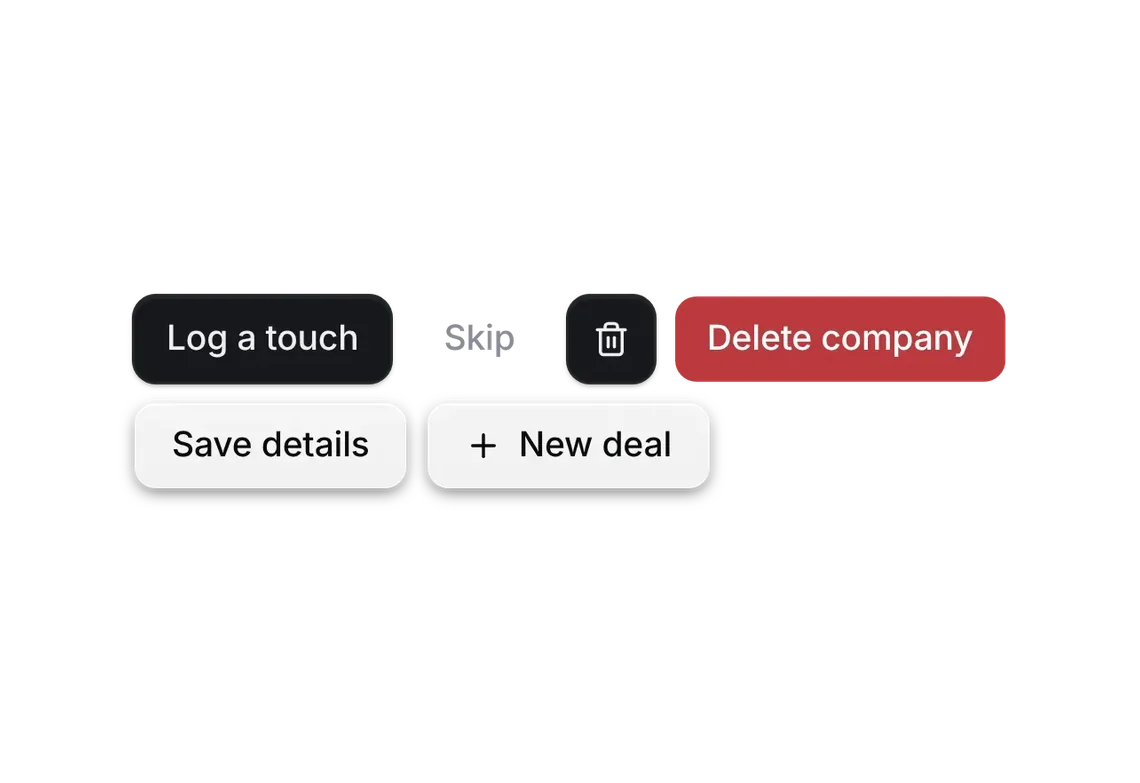
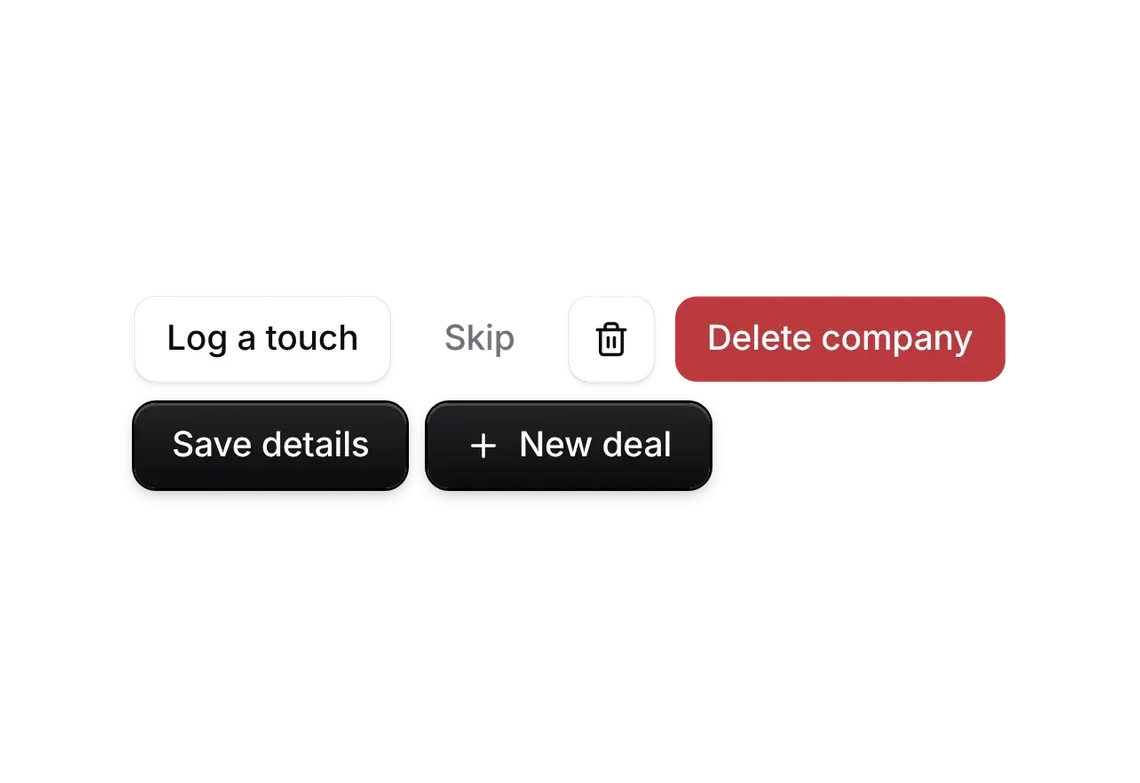
Actions as icons in one row; the one you reach says its name.
Every shadcn style · one file
Usage
Import it and pass your content. The props that matter most are listed next.
Example · as previewed
"use client";
import * as React from "react";
import { ExpandingButtonGroup, type ExpandingAction } from "@/components/ui/notchset/expanding-button-group";
import { ArrowDownToLine, Bookmark, Heart, Link2 } from "@/lib/notchset/icons";
import { useLessMotion } from "@/lib/notchset/motion";
import { pressIn, useSelfPlay } from "./self-play";

/*
 * A post's actions: Like and Save stay on, Copy link and Download say done for a moment. On view the hand reaches
 * across the keys and presses one: spring presses Save (the bookmark pours, Saved lands in the lit pill); fan opens
 * the "+", names three keys and picks Copy link, then folds home; plain names two keys and copies the link.
 */
const ACTIONS: ExpandingAction[] = [
  { id: "like", icon: Heart, label: "Like", doneLabel: "Liked", toggle: true, mark: "fill" },
  { id: "save", icon: Bookmark, label: "Save", doneLabel: "Saved", toggle: true, mark: "pour" },
  { id: "link", icon: Link2, label: "Copy link", doneLabel: "Copied", mark: "turn" },
  { id: "download", icon: ArrowDownToLine, label: "Download", doneLabel: "Downloaded", mark: "drop" },
];
type Look = "spring" | "fan" | "plain";

/* each look's moment: the keys the hand reaches, then the one it presses (fan opens its "+" first) */
const SCRIPT: Record<Look, { beats: number[]; steps: (string | "+")[] }> = {
  spring: { beats: [450, 400, 400, 500], steps: ["save", "link", "download", "press:save"] },
  fan: { beats: [300, 500, 300, 300, 350], steps: ["+", "like", "save", "link", "press:link"] },
  plain: { beats: [450, 400, 400], steps: ["save", "link", "press:link"] },
};

/** points the hand at a key, as a mouse would: a move inside it, so the group names it */
function pointAt(root: Element | null, id: string) {
  const el = root?.querySelector<HTMLElement>(`[data-k="${id}"]`);
  if (!el) return;
  const r = el.getBoundingClientRect();
  el.dispatchEvent(new PointerEvent("pointermove", { bubbles: true, clientX: r.left + r.width / 2, clientY: r.top + r.height / 2, pointerType: "mouse" }));
}

/** plays a look's moment once: each step reaches a key, presses one, or opens the fan */
export function play(root: Element | null, look: Look, step: number) {
  const s = SCRIPT[look].steps[step];
  if (!s) return;
  if (s === "+") return pressIn(root, "button[aria-expanded=false]");
  if (s.startsWith("press:")) return pressIn(root, `[data-k="${s.slice(6)}"]`);
  pointAt(root, s);
}

export default function ExpandingButtonGroupDemo() {
  const look = "spring" as Look;
  return <Stage key={look} look={look} />;
}

function Stage({ look }: { look: Look }) {
  const less = useLessMotion();
  const root = React.useRef<HTMLDivElement>(null);
  const self = useSelfPlay(root, { beats: SCRIPT[look].beats, off: less });
  /* less motion: the moment's end at once */
  React.useEffect(() => {
    if (less) SCRIPT[look].steps.forEach((_, i) => play(root.current, look, i));
  }, [less, look]);
  React.useEffect(() => {
    if (self.mine || self.step < 0) return;
    play(root.current, look, self.step);
  }, [self.step, self.mine, look]);
  return (
    <div
      ref={root}
      onPointerDownCapture={self.handOver}
      onKeyDownCapture={self.handOver}
      className="flex min-h-[300px] items-center justify-center"
    >
      <ExpandingButtonGroup label="Post actions" look={look} actions={ACTIONS} />
    </div>
  );
}Example: the full example
Example
"use client";
import * as React from "react";
import { ExpandingButtonGroup, type ExpandingAction } from "@/components/ui/notchset/expanding-button-group";
import { ArrowDownToLine, Bookmark, Heart, Link2 } from "@/lib/notchset/icons";
import { useLessMotion } from "@/lib/notchset/motion";
import { pressIn, useSelfPlay } from "./self-play";

/*
 * A post's actions: Like and Save stay on, Copy link and Download say done for a moment. On view the hand reaches
 * across the keys and presses one: spring presses Save (the bookmark pours, Saved lands in the lit pill); fan opens
 * the "+", names three keys and picks Copy link, then folds home; plain names two keys and copies the link.
 */
const ACTIONS: ExpandingAction[] = [
  { id: "like", icon: Heart, label: "Like", doneLabel: "Liked", toggle: true, mark: "fill" },
  { id: "save", icon: Bookmark, label: "Save", doneLabel: "Saved", toggle: true, mark: "pour" },
  { id: "link", icon: Link2, label: "Copy link", doneLabel: "Copied", mark: "turn" },
  { id: "download", icon: ArrowDownToLine, label: "Download", doneLabel: "Downloaded", mark: "drop" },
];
type Look = "spring" | "fan" | "plain";

/* each look's moment: the keys the hand reaches, then the one it presses (fan opens its "+" first) */
const SCRIPT: Record<Look, { beats: number[]; steps: (string | "+")[] }> = {
  spring: { beats: [450, 400, 400, 500], steps: ["save", "link", "download", "press:save"] },
  fan: { beats: [300, 500, 300, 300, 350], steps: ["+", "like", "save", "link", "press:link"] },
  plain: { beats: [450, 400, 400], steps: ["save", "link", "press:link"] },
};

/** points the hand at a key, as a mouse would: a move inside it, so the group names it */
function pointAt(root: Element | null, id: string) {
  const el = root?.querySelector<HTMLElement>(`[data-k="${id}"]`);
  if (!el) return;
  const r = el.getBoundingClientRect();
  el.dispatchEvent(new PointerEvent("pointermove", { bubbles: true, clientX: r.left + r.width / 2, clientY: r.top + r.height / 2, pointerType: "mouse" }));
}

/** plays a look's moment once: each step reaches a key, presses one, or opens the fan */
export function play(root: Element | null, look: Look, step: number) {
  const s = SCRIPT[look].steps[step];
  if (!s) return;
  if (s === "+") return pressIn(root, "button[aria-expanded=false]");
  if (s.startsWith("press:")) return pressIn(root, `[data-k="${s.slice(6)}"]`);
  pointAt(root, s);
}

export default function ExpandingButtonGroupDemo() {
  const look = "spring" as Look;
  return <Stage key={look} look={look} />;
}

function Stage({ look }: { look: Look }) {
  const less = useLessMotion();
  const root = React.useRef<HTMLDivElement>(null);
  const self = useSelfPlay(root, { beats: SCRIPT[look].beats, off: less });
  /* less motion: the moment's end at once */
  React.useEffect(() => {
    if (less) SCRIPT[look].steps.forEach((_, i) => play(root.current, look, i));
  }, [less, look]);
  React.useEffect(() => {
    if (self.mine || self.step < 0) return;
    play(root.current, look, self.step);
  }, [self.step, self.mine, look]);
  return (
    <div
      ref={root}
      onPointerDownCapture={self.handOver}
      onKeyDownCapture={self.handOver}
      className="flex min-h-[300px] items-center justify-center"
    >
      <ExpandingButtonGroup label="Post actions" look={look} actions={ACTIONS} />
    </div>
  );
}
self-play.ts: the sample data the example imports, saved beside it
self-play.ts
"use client";
import * as React from "react";

/*
 * A demo that plays itself until the first touch: the script lives in the demo, never in the piece, which only gets
 * the props a person would give it. It moves 0.4 s after the piece is first seen, then takes each step on its beat;
 * off screen or paused it waits. The first press, key or focus on the piece (bind `handOver` to it; a scroll over it never counts) makes it the
 * visitor's for good and drops every queued step; with less motion (`off`) it never plays and rests in its first frame.
 * A host can hand it over from outside the piece too (a settings panel beside it the visitor has used): under
 * <HandedOver value>, it never plays, a remount included.
 *
 *   const play = useSelfPlay(root, { beats: [2800, 2800], loop: true, off: less });
 *   <div ref={root} onPointerDownCapture={play.handOver} onKeyDownCapture={play.handOver} onFocusCapture={play.handOver}>
 *   play.step // the step it is at, -1 before its first
 *   play.control // "pause" while it plays, "play" once paused (a new take), "replay" once it is over or yours
 *
 * Each step presses the piece's own controls (pressIn), so the script shows exactly what a hand can do.
 *
 * A host that shows the piece once (<PlayOnce value={{ settle }}>) changes three things: the script starts when the
 * piece is first half in view and never again on coming back, it never loops, and with less motion (or `settle`) it
 * takes every step at once, so the piece rests on the END of its moment. `hold` is a reason not to play at all that is
 * not motion (a mode with nothing to show): it holds in every host. Under <PlayOnce value={{ active: false }}> (a look
 * that is mounted but not shown) it waits until it is shown.
 */
type SelfPlayOptions = {
  /** how long each step waits after the one before it, in ms; the first step waits 0.4 s after the piece is seen */
  beats: readonly number[];
  /** starts over after the last step; without it the script plays once and rests */
  loop?: boolean | undefined;
  /** no self-play at all (less motion): the piece is the visitor's from the start */
  off: boolean;
  /** no self-play for a reason other than motion (a mode with nothing to show), in every host */
  hold?: boolean | undefined;
};

/** How a host shows the piece: once on arrival (see useSelfPlay). */
type PlayOnceHost = {
  /** rest on the end at once, without playing (less motion, or a reset) */
  settle?: boolean | undefined;
  /** false while the piece is mounted but not shown: it waits */
  active?: boolean | undefined;
};

const START = 400;
/**
 * Whether a demo plays itself at all. Off: every piece rests in its first frame and is
 * the visitor's from the start; nothing presses its controls for them.
 */
const SELF_PLAY: boolean = false;

/** True where the visitor has already taken the piece from outside it: nothing under it plays itself. */
const HandedOver = React.createContext(false);

/** A host that shows the piece once: play once on arrival, rest on the end (null: play as the demo asks). */
const PlayOnce = React.createContext<PlayOnceHost | null>(null);

function useSelfPlay(root: React.RefObject<Element | null>, { beats, loop: looped = false, off: still, hold = false }: SelfPlayOptions) {
  const once = React.useContext(PlayOnce);
  const active = once?.active !== false;
  /* shown once: less motion (or a settled host) takes every step at once and rests on the end */
  const quick = once != null && (still || Boolean(once.settle));
  const loop = once == null && looped;
  /* the first touch hands it over for good */
  const [mine, setMine] = React.useState(false);
  const handOver = React.useCallback(() => setMine(true), []);
  const handedOver = React.useContext(HandedOver);
  const off = !SELF_PLAY || hold || (quick ? false : still) || mine || (handedOver && !quick);
  const [seen, setSeen] = React.useState(false);
  const [paused, setPaused] = React.useState(false);
  const [taken, setTaken] = React.useState(0);
  const n = Math.max(1, beats.length);
  const done = !loop && taken >= n;
  React.useEffect(() => {
    const el = root.current;
    if (!active) return;
    /* without an observer (an old browser, a test) it counts as seen */
    if (!el || typeof IntersectionObserver === "undefined" || quick) {
      const t = window.setTimeout(() => setSeen(true));
      return () => window.clearTimeout(t);
    }
    /* shown once: first half in view starts it, and leaving never stops or restarts it */
    const io = once
      ? new IntersectionObserver((es) => {
          if (es.some((e) => e.isIntersecting && e.intersectionRatio >= 0.5)) {
            setSeen(true);
            io.disconnect();
          }
        }, { threshold: 0.5 })
      : new IntersectionObserver((es) => setSeen(es.some((e) => e.isIntersecting)));
    io.observe(el);
    return () => io.disconnect();
  }, [root, active, once, quick]);
  const playing = !off && seen && active && !paused && !done;
  const delay = quick ? 0 : taken === 0 ? START : (beats[taken % n] ?? START);
  React.useEffect(() => {
    if (!playing) return;
    const t = window.setTimeout(() => setTaken((k) => k + 1), delay);
    return () => window.clearTimeout(t);
  }, [playing, taken, delay]);
  /* one control in one place: Pause while it plays, Play (a new take) once paused, Replay once it is over or yours */
  /* self-play off: never "over", so a demo rests in its FIRST frame, not its end frame */
  const control: "pause" | "play" | "replay" = paused || !SELF_PLAY ? "play" : off || done ? "replay" : "pause";
  return { step: taken === 0 ? -1 : (taken - 1) % n, taken, playing, control, mine, handOver, pause: () => setPaused(true) };
}

/**
 * Presses a real control inside `root`, as the visitor would: the first match of `selector`, or the one whose text is
 * `text`. A click only, so it never counts as the visitor's touch.
 */
function pressIn(root: Element | null, selector: string, text?: string) {
  const all = [...(root?.querySelectorAll<HTMLElement>(selector) ?? [])];
  (text == null ? all[0] : all.find((el) => el.textContent?.trim() === text))?.click();
}

export { HandedOver, PlayOnce, pressIn, useSelfPlay, type PlayOnceHost, type SelfPlayOptions };
Anatomy
Source
components/ui/notchset/expanding-button-group.tsx
This component is included with Pro.
Try the live preview above. Get Pro to install the source.
LevelOrganism: made of molecules or blocks.
Made ofToolbar
Install notes
Needs your registry key. Every components.json style gets the same files.
Works with React 18.3 or 19 on Tailwind CSS v4, in any shadcn project. What's tested
Styles didn't apply?
The CLI adds the styles to the CSS file named in components.json (tailwind.css). Check that it points at your global stylesheet, that the project uses Tailwind CSS v4, and that the file is imported in your root layout. Installed by hand: paste styles.css into that file.
Props
actions–ExpandingAction[]the keys, two to six
label–stringnames the group for screen readers ("Post actions")
rest–stringthe id whose words show at rest: the host's next step (the first key by default, then the one pressed last)
look"plain""plain" | "spring" | "fan"plain (the default) for an app; spring and fan are the showpieces
onAction–(id: string, pressed?: boolean) => voida key pressed; a toggle passes its new state
labels–Partial<ExpandingButtonGroupLabels>
Three usesa post's or a file's actions · a message's actions · a design's share bar
- actions
- label: a verb ("Copy link"); doneLabel: its past ("Copied"); icon: one line glyph
- label
- what the actions act on ("Post actions")
For coding agents
Give your coding assistant the Markdown guide instead of screenshots.
Use it for
- Three to five actions on one thing where icons save room but a name helps.
Use something else when
- Actions that need their words all the time are a Toolbar of Buttons; one action is Button.
Mistakes to avoid
- A fixed primary as rest: pass the step the host expects next
- More than five keys
- Tinting each key a colour: one lit accent, the key just done
Keyboard and screen readers
- A toolbar named by label, one tab stop; each key is a button named by its words, a toggle with aria-pressed, busy as aria-busy; a status line says the done word.
- The fan's + has aria-expanded and its keys are out of reach while folded.
Motion
- the plain group's keys spring out on their arm: transform on --ns-time-panel, --ns-ease-move. Reduced motion: every end state at once (foundation.css, the group's rule).
- a label and its wash fade and recolour as the key opens: opacity and background-color on --ns-time-menu, --ns-ease-move. Reduced motion: every end state at once (foundation.css, the group's rule).
- the label opens on approach: --ns-time-spring on --ns-ease-spring (plain); --ns-time-glide on --ns-ease-glide (spring). Reduced motion: the words show at once.
- the fan's keys fly out on arms: --ns-time-fling on --ns-ease-fling, 45ms apart. Reduced motion: the keys are there at once.
- a done word lands from above: 520ms with a small give. Reduced motion: the word swaps at once.
Responsive
- phone: the first tap names, the second presses; 44px press areas
- desktop
- dark (tokens): the lit fill a step deeper
Performance
- One measure of the widest words; transitions only on transform, width and colour.
Where agents read it
- Guide for this component: https://notchset.dev/md/expanding-button-group.md
- Every component, for tools without MCP: /llms.txt
- MCP server:
https://notchset.dev/api/mcp(setup)
Part of
Included with Pro
One payment, lifetime.
Pair this component with
Changelog
v2.0.0 · 2026-10-13
Released with the Notchset system.